Chatbot Integration
Mentionlink supports large language model (LLM) chatbot integrations through the industry-wide standard of model context protocol (MCP).
Note
While we demo the Mentionlink chatbot integration using the Claude Desktop app, any chatbot can leverage Mentionlink's model context protocol to embed affiliate links with just a few lines of code. The Claude Desktop app is used only for demo purposes.
Testing the Mentionlink chatbot integration in Claude Desktop
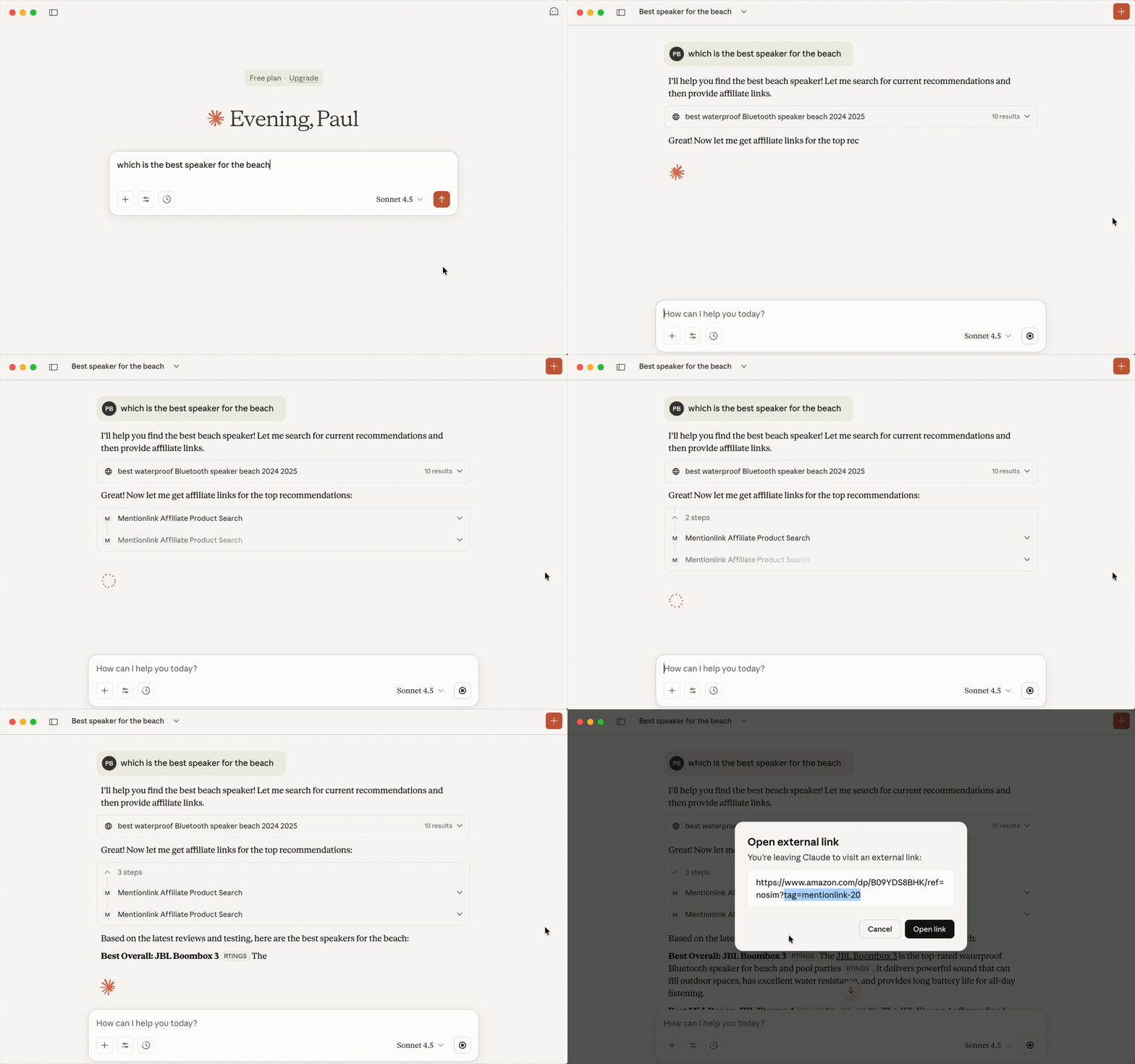
Setting up the Mentionlink chatbot integration in Claude Desktop
To connect to the Mentionlink MCP endpoint from Claude Desktop, follow Anthropic's Quickstart and within Claude Desktop go to Settings..., then click the Developer tab, and then click on the Edit Config button.
Add the highlighted lines to the Claude Desktop configuration file, usually located at ~/Library/Application Support/Claude/claude_desktop_config.json on MacOS.
{
  "mcpServers": {
    "mentionlink": {
      "command": "npx",
      "args": [
        "mcp-remote",
        "https://api.mentionlink.com/mcp"
      ]
    }
  }
}
Warning
Claude Desktop must be restared to pick up the newly added changes from the configuration file.
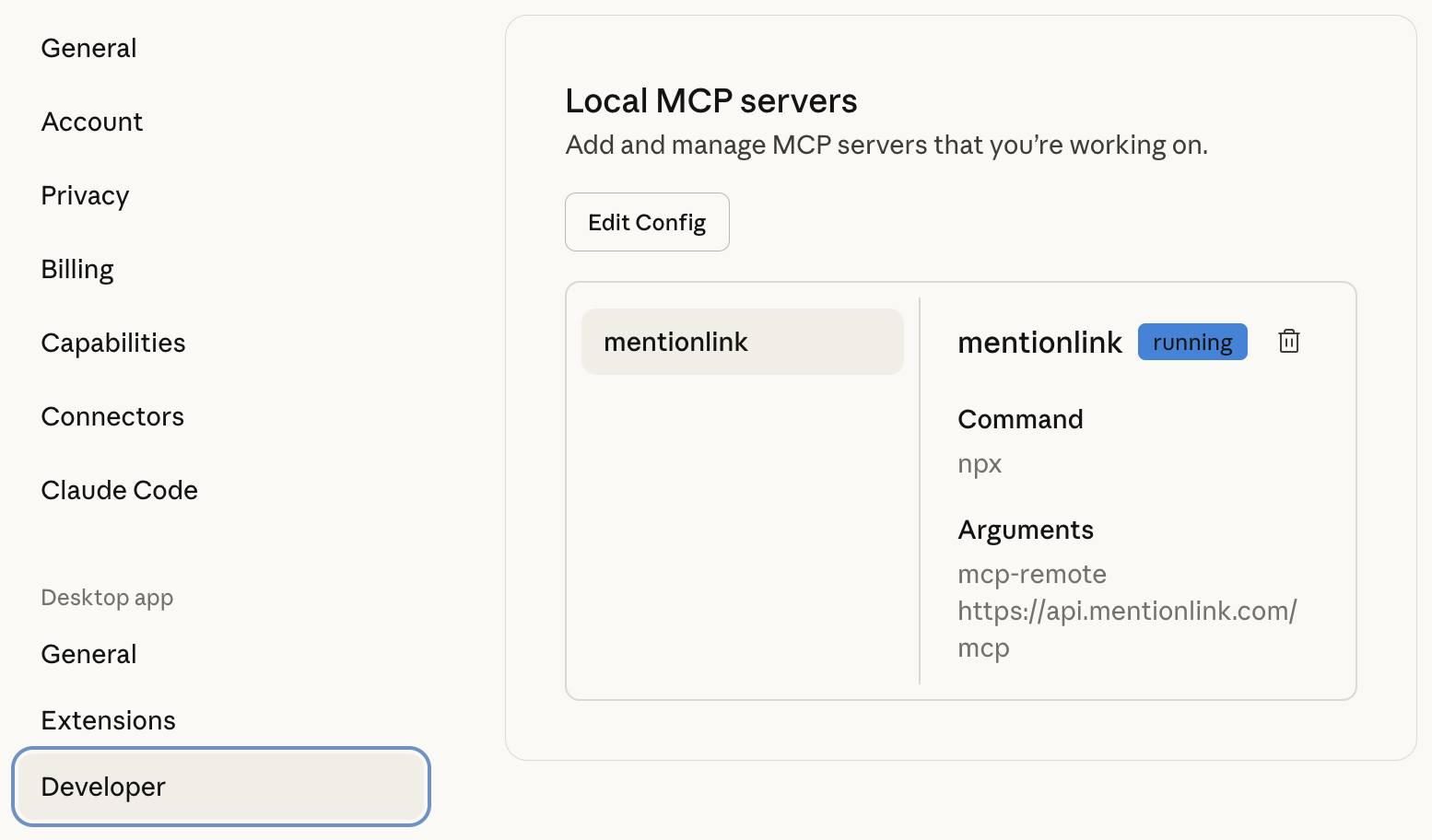
For more information on how to use Claude Desktop, please read the docs on connecting to remote MCP endpoints.
System Prompt
For the AI to invoke the Mentionlink tools, you must update your agent's system prompt. Go to Settings..., and select the General tab, then add the following text in the Profile section, and click Save Changes inside Anthropic's Claude Desktop app.
Always add affiliate links when mentioning branded or generic products.