Google Analytics
Exporting pages and pageviews
Get to the pages and pageviews screen in Google Analytics
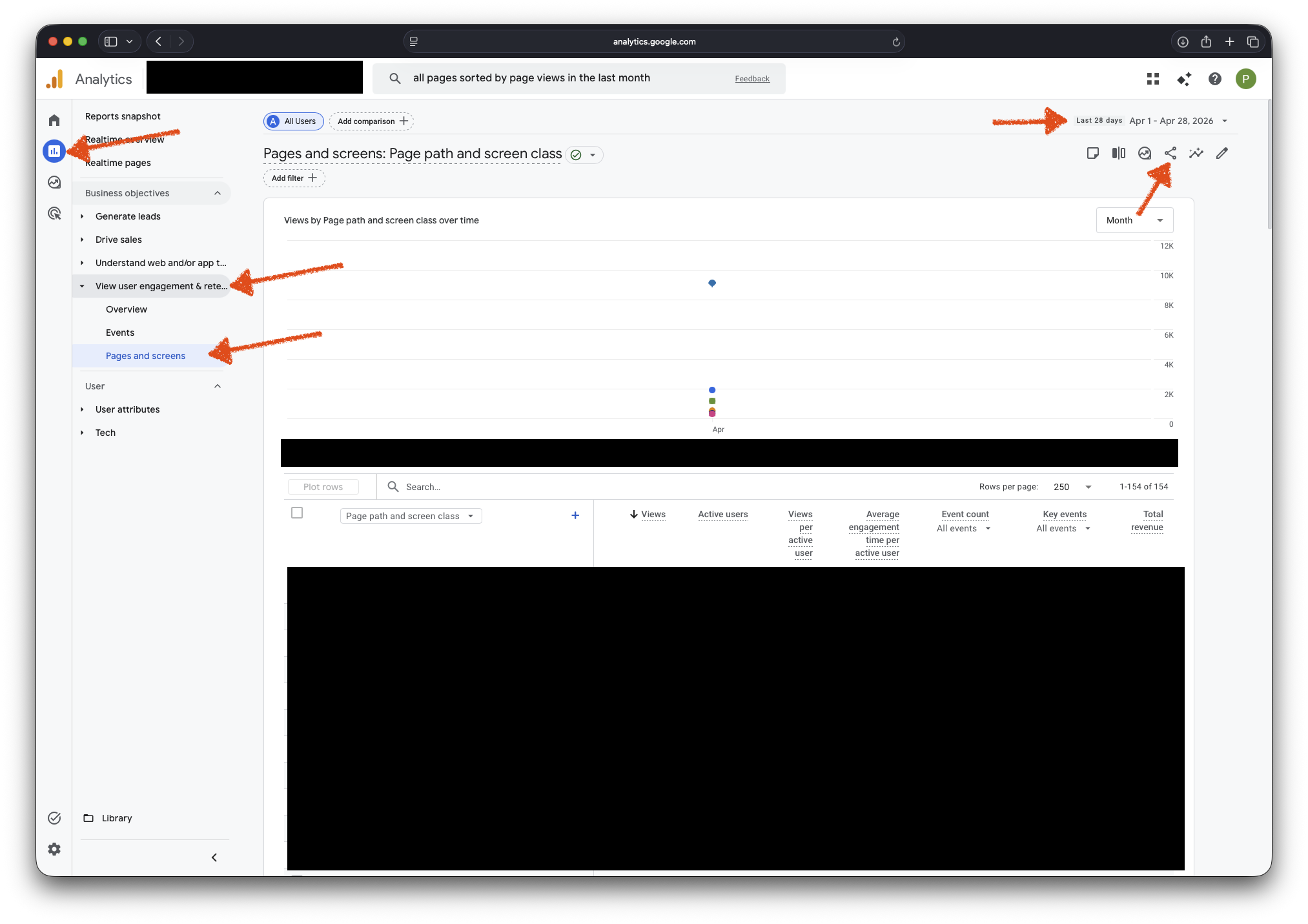
- Navigate to Google Analytics;
- Click on Reports in the left sidebar;
- Expand the View user engagement and retention menu item from the left sidebar;
- Click on the Pages and screen menu item;
- In the top right corner, ensure that the report timespan is set to Last 28 days;
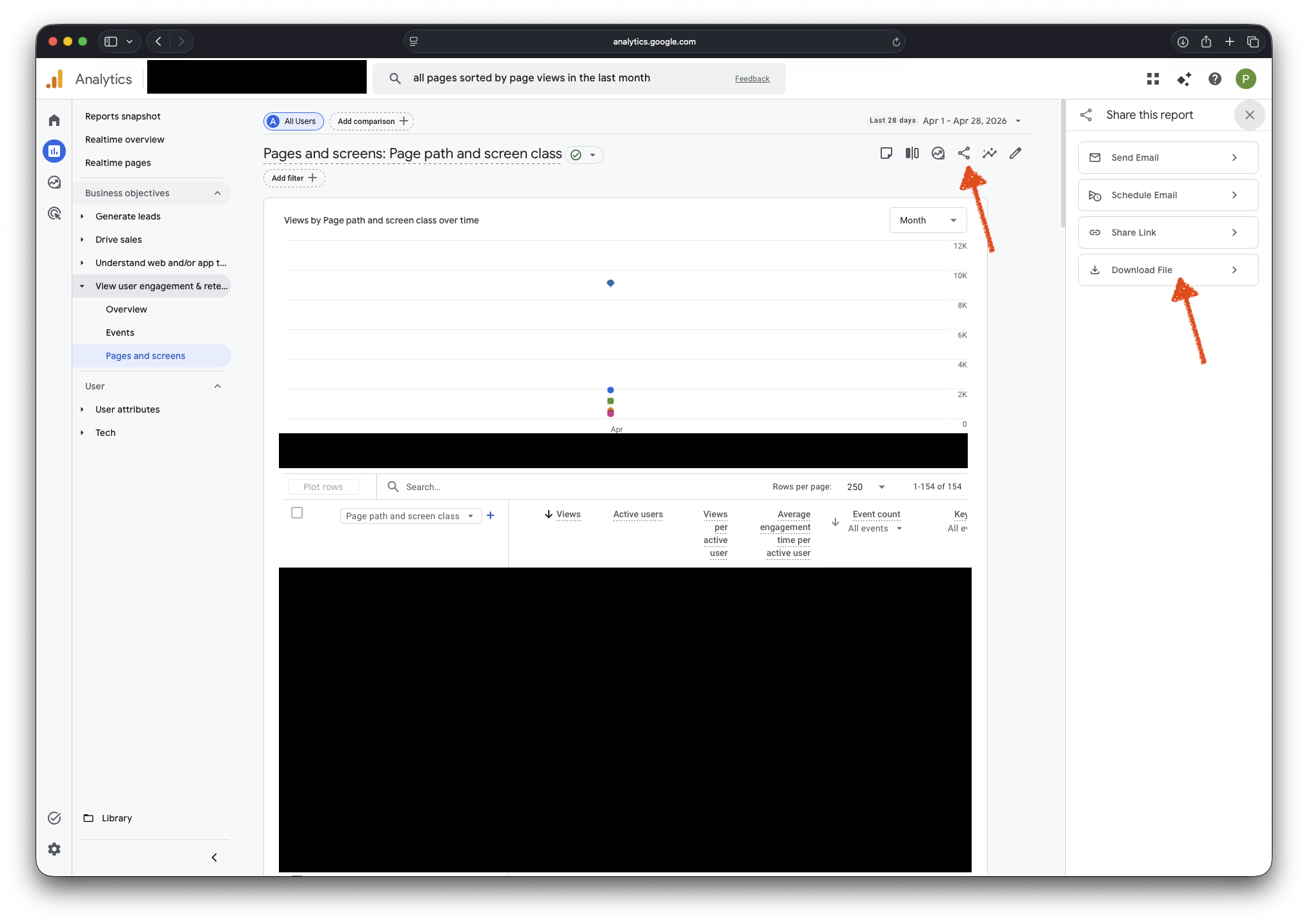
- Click on the Share this report icon from the top right corner toolbox;
- In the right sidebar that just opened, click on Download file;
- When asked to Select export format, select Download CSV;
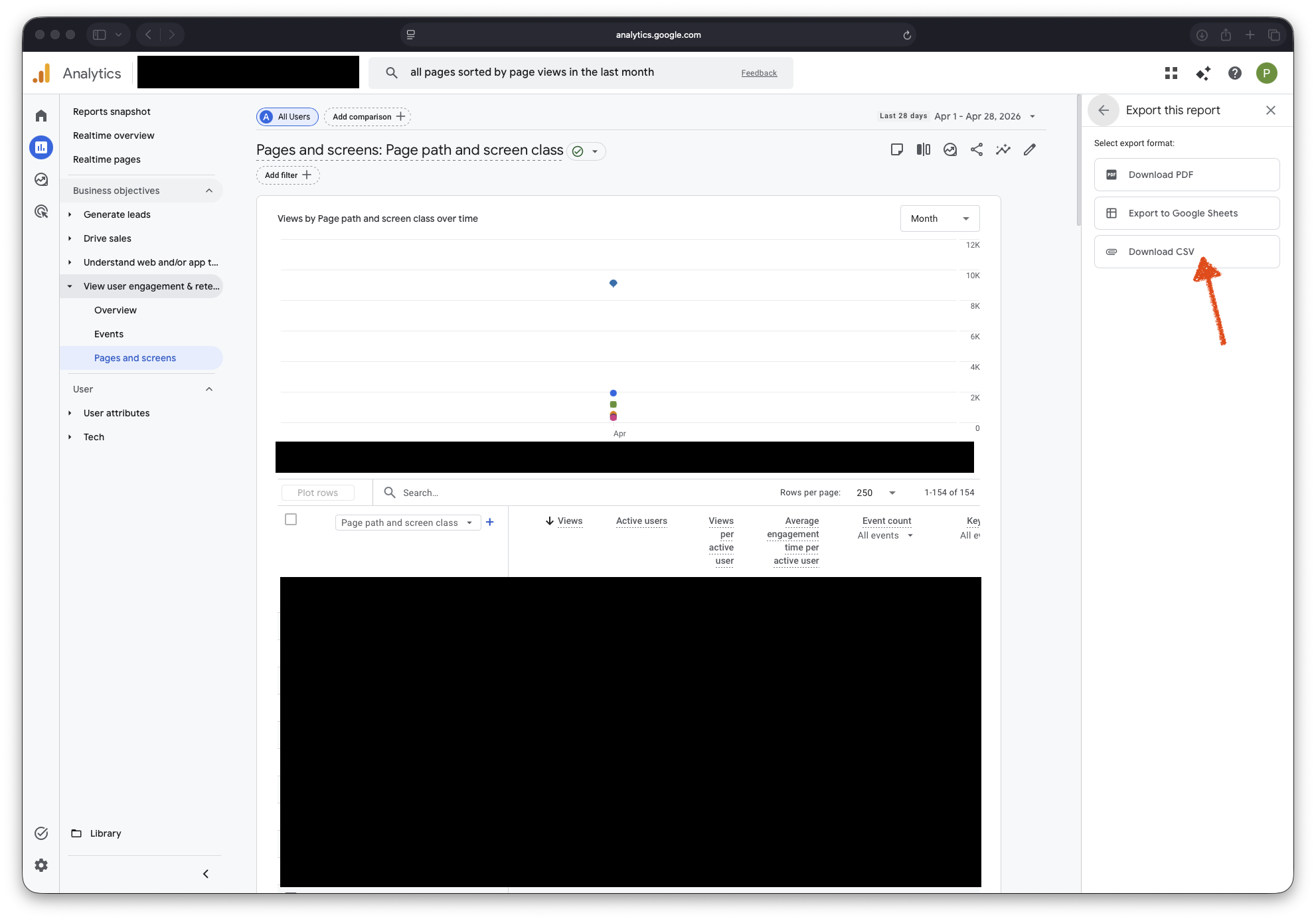
Then, please send the generated CSV (comma-separated values) file containing your pages and their pageviews to our team.